Creating professional videos used to cost thousands. A simple product demo video? €500-2,000 for a production company. A YouTube intro sequence? €1,000+. An animated explainer? €3,000-5,000. That’s changing. Fast.
Pollo AI is one of the tools making it possible for creators, freelancers, and small business owners to produce broadcast-quality videos for €10-25 per month. No editors needed. No production studio. Just text, images, or voice—and within minutes, a professional video.
But is it actually good? I spent three weeks testing Pollo AI against Runway, Synthesia, and D-ID to find out. Here’s what I learned.
What exactly is Pollo AI?
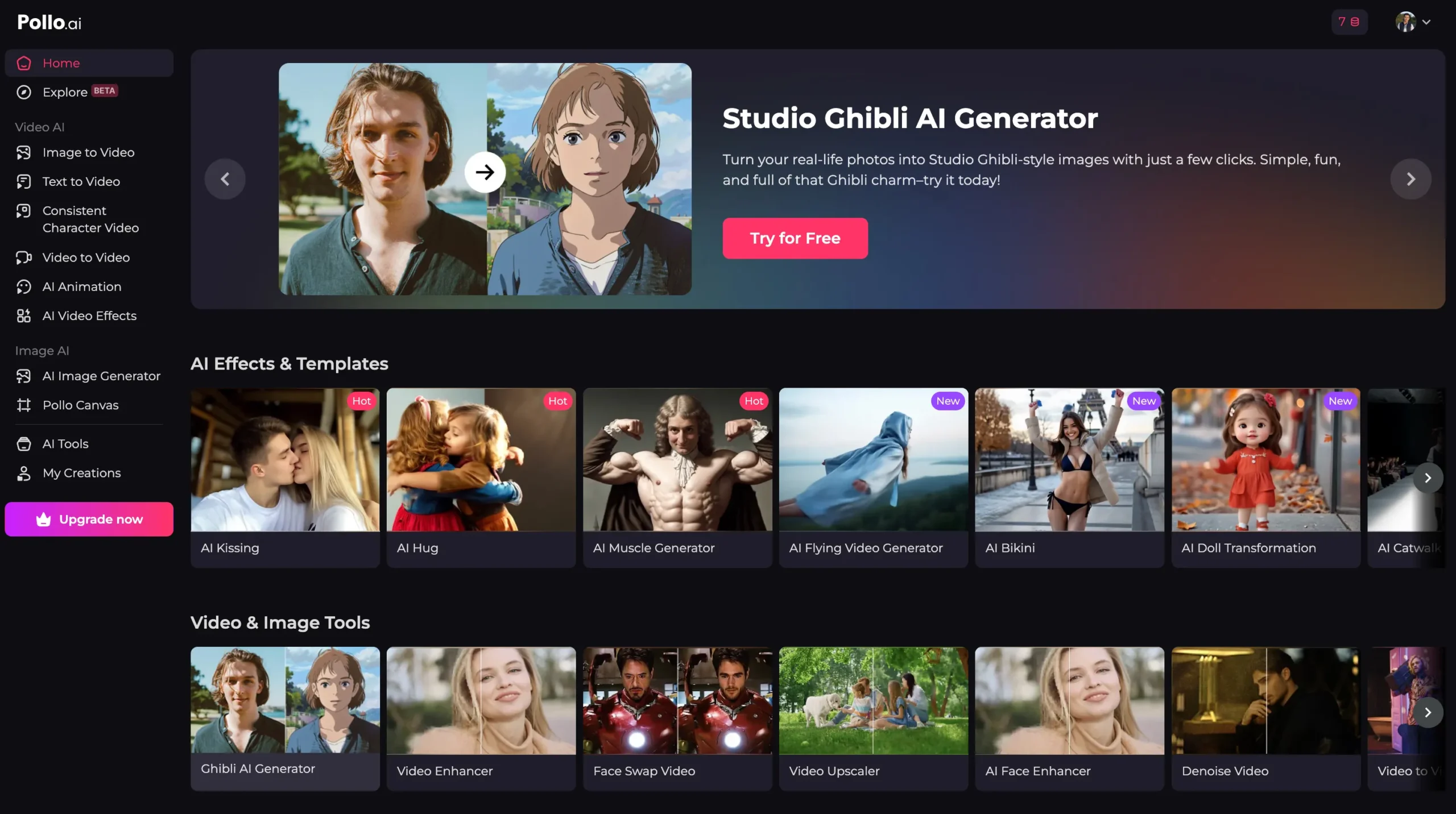
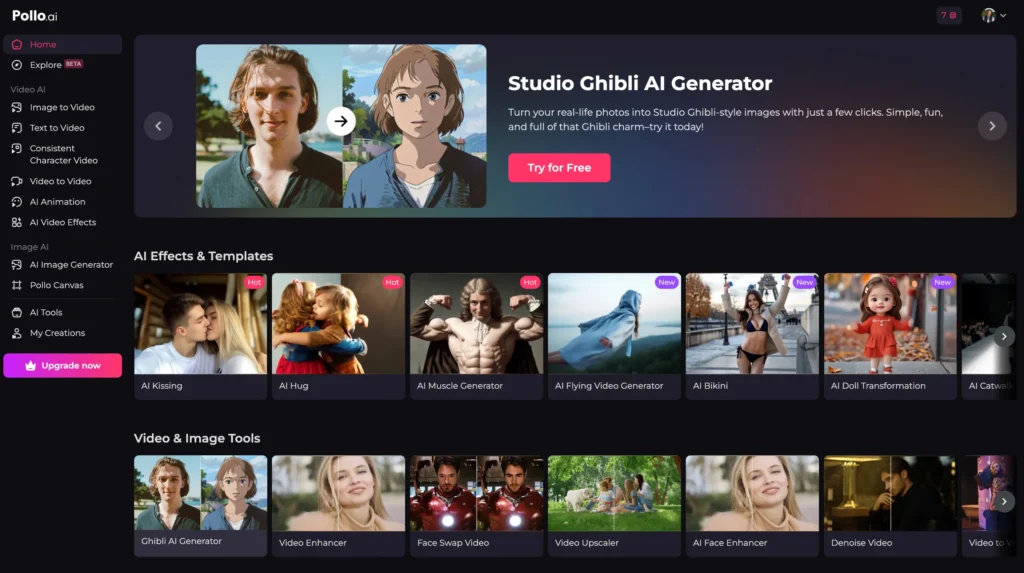
Pollo AI is an all-in-one AI video generation platform. Think of it as a unified interface that brings together the best-in-class video AI models and puts them in one place so you don’t have to manage six different subscriptions.
Instead of:
- Signing up for Runway for video effects
- Using Kling AI for text-to-video
- Testing Luma AI for 3D video
- Jumping to PixVerse for animations
You sign up for Pollo AI once, and access all six models from one dashboard.
If you want a feature‑by‑feature walkthrough of the tool itself, check out my earlier guide on the best features of Pollo AI for image and video creation.
What problem does Pollo AI solve?
Problem 1: Cost. Professional video production is expensive. One video = one project = one invoice.
Solution: Pollo AI. One subscription = unlimited videos (within your credit limit).
Problem 2: Complexity. Learning six different tools is time-consuming. Every platform has different workflows, different terminology, different export settings.
Solution: One interface. Consistent workflow. Learn once, use everywhere.
Problem 3: Speed. Traditional video production takes weeks. AI video takes minutes.
Solution: From idea to finished video in 5-15 minutes (depending on complexity).
Who’s actually using Pollo AI?
- YouTubers creating faceless channels (daily uploads need consistent content)
- TikTok creators producing 3-5 shorts per week
- E-commerce businesses showcasing products
- Freelancers offering video services on Fiverr/Upwork
- Corporate teams making training videos
- Marketing teams creating ad variations
If you create any video content, Pollo AI can help.
Pollo AI pricing breakdown (the real numbers)
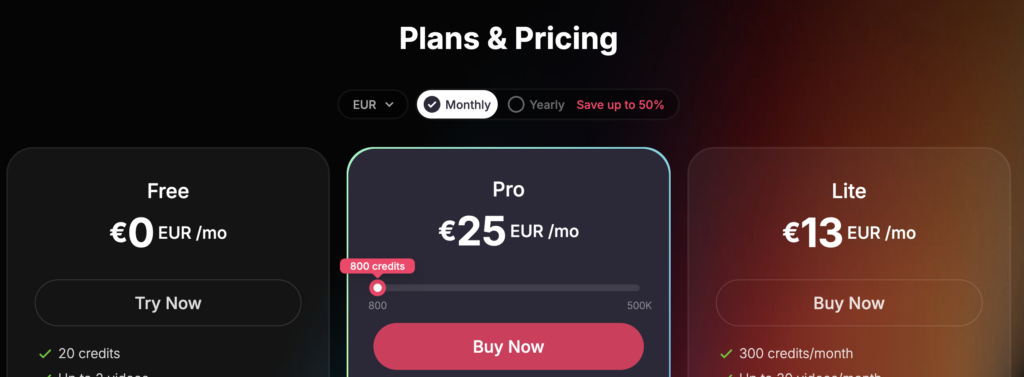
Here’s what Pollo AI actually costs:
Free Plan
- Cost: €0
- Monthly Credits: 20
- What You Can Make: 1-2 simple videos
- Best For: Testing the platform before paying
- No credit card required
- Start your Pollo AI free plan here!
Lite Plan
- Cost: €10/month
- Monthly Credits: 300
- What You Can Make: ~15-20 simple videos, or 8-10 professional videos
- Best For: Casual creators, testing the tool seriously
- Billed annually: €100/year (saves 16%)
Pro Plan
- Cost: €25/month
- Monthly Credits: 800
- What You Can Make: ~40-50 simple videos, or 20-25 professional videos
- Best For: Active creators, YouTubers, small businesses
- Includes: HD/4K export, no watermarks, priority rendering
- Billed annually: €250/year (saves 17%)
Business Plan
- Cost: €100+/month
- Monthly Credits: 5,000+
- What You Can Make: Unlimited production (for an agency)
- Best For: Agencies, teams, high-volume production
- Custom features available
How to calculate cost per video with Pollo AI
Here’s the key: credits = not per-video, but per-complexity.
Simple 5-10 second video: 10-15 credits
Professional 30-60 second video: 30-45 credits
High-resolution 4K export: +50% credits
Real example:
- Pro plan (€25/month, 800 credits)
- Average professional video (40 credits)
- 800 ÷ 40 = 20 videos per month
- €25 ÷ 20 = €1.25 per professional video
Compare that to:
- Hiring freelancer: €75-300 per video
- Runway subscription alone: €12-25/month + limited models
- Synthesia: €23-62/month + limited to avatar-based videos
| Plan | Monthly Cost | Videos/Month | Cost Per Video |
|---|---|---|---|
| Free | €0 | 1-2 | Free (limited) |
| Lite | €10 | 10-15 | €0.66-1.00 |
| Pro | €25 | 20-25 | €1.00-1.25 |
| Business | €100+ | 50+ | €2.00+ (agency rate) |
Bottom line: Most creators should use Pro (€25/month) because it’s €1-per-video and includes 4K export + no watermarks.
What can you actually create?
(Pollo AI features that matter)
Here’s what Pollo AI can do:
Text-to-Video
Write a prompt. Get a video.
Example: “A professional product demo video showing a water bottle being used at a gym”
→ Pollo AI generates 30-60 second video with multiple angles, transitions, realistic lighting
Uses Kling AI and Veo 3 (OpenAI’s models) under the hood.
Image-to-Video
Upload a static image. Pollo brings it to life.
Example: Upload a product photo → Pollo creates 360-degree rotation video or cinematic zoom
This is huge for e-commerce. One product photo = multiple variations for different platforms.
Consistent Character Generation
Create an AI character, then use it in multiple videos.
Example: Create a “host” character once → Use same character in 50 different video backgrounds/contexts
Perfect for course creators, YouTube hosts, brand consistency.
Templates & Effects
Don’t want to start from scratch? Use templates.
- YouTube intros/outros
- Social media transitions
- Product showcase templates
- Interview setups
- Music video styles
No watermarks (Pro Plan+)
Free plans have Pollo watermark. Pro plan = no watermark. Essential for professional use.
Export quality
- Free/Lite: Up to 1080p HD
- Pro: Up to 4K (2160p)
- Business: Up to 8K (future-proofing)
Speed
Rendering time: 30 seconds to 2 minutes depending on length/complexity
Compared to Runway: Similar
Compared to traditional production: 100x faster
In a separate article I break down every major Pollo AI feature, with screenshots and examples. Read the full Pollo AI features guide here.
Real-World use cases
(where Pollo AI actually makes money)
Use Case 1: YouTuber (Faceless Channel)
The Challenge: Creating 3 videos per week solo is impossible
The Solution: Use Pollo AI to generate video content
Weekly workflow:
- Monday: Write 3 video scripts (30 mins)
- Tuesday: Generate 3 videos in Pollo (45 mins total)
- Wednesday-Friday: Edit, add voiceover, captions (2 hours total)
- Upload 3x/week consistently
Cost: €25/month
Results: 12 videos/month consistency = YouTube algorithm loves consistent uploaders = faster growth
Use Case 2: TikTok Creator
The Challenge: 5 TikToks/day is content treadmill
The Solution: Batch-create content in Pollo AI
Daily workflow:
- Spend 1 hour creating 5 TikToks
- Post throughout the day
- Let Pollo handle the video generation
Cost: €10/month (Lite plan works)
Results: Consistency without burnout = growth + engagement
Use Case 3: Freelancer (Fiverr/Upwork)
Service: “I’ll create a custom AI video for your YouTube channel” (charge €75-200)
Backend: Use Pollo AI (cost €1-2 per video)
Margin: €70-195 profit per order
Volume: 10 orders/month = €700-1,950 profit
Cost: €25/month Pollo subscription
Net income: €675-1,925/month
Real-world: Fiverr freelancers are already doing this with Runway. Pollo is cheaper than Runway + more features.
Use Case 4: E-Commerce Business
The Challenge: Product photos look static on social media
The Solution: Use Pollo AI to create 360-degree product videos
Before/After:
- Before: Static product photo in Instagram post (2% click rate)
- After: Cinematic product video (8-12% click rate from video views)
Cost per video: €1-2
Impact: One video can drive €100-500 in sales
ROI: 500-5000x on video cost
Use Case 5: Corporate Training
The Challenge: Creating 100+ training videos costs €50,000+ with production company
The Solution: Create in-house with Pollo
- Employee onboarding videos
- Process documentation
- Compliance training
- Product training for partners
Cost: €25-100/month per team
Savings: €50,000+ per year vs. production company
How Pollo AI compares (feature comparison table)
This matters if you’re choosing between tools. Here’s the honest breakdown:
| Feature | Pollo AI | Runway | Synthesia | D-ID |
|---|---|---|---|---|
| Monthly Cost | €10-25 | €12-35 | €23-62 | €8-150 |
| Text-to-Video | ✓ (6+ models) | ✓ | Limited | ✗ |
| Consistent Character | ✓ | Limited | ✓ | ✓ |
| Image-to-Video | ✓ | ✓ | Limited | Limited |
| HD/4K Export | ✓ (Pro) | Varies | ✓ (Pro) | ✓ (Limited) |
| No Watermarks | ✓ (Pro+) | Varies | ✓ (Pro+) | Varies |
| Learning Curve | Easy | Moderate | Moderate | Moderate |
| Best For Beginners | ✓✓✓ | ✓ | ✗ (pricey) | ✓ |
| Best For Agencies | Good | Excellent | Excellent | Fair |
Pollo AI vs. Runway
Choose Runway if: You need advanced video effects and are willing to learn a complex interface
Choose Pollo AI if: You want the easiest entry point and lowest cost
Pollo AI vs. Synthesia
Choose Synthesia if: You specifically want AI avatars (talking head videos)
Choose Pollo AI if: You want more creative freedom and lower cost
Pollo AI vs. D-ID
Choose D-ID if: You need hyperrealistic avatar lip-sync
Choose Pollo AI if: You want flexibility and faster rendering
The honest verdict: Pollo AI is the most well-rounded for creators who are just starting. Runway is better if you have video editing skills. Synthesia is best if avatar videos are your only need.
Honest Pros & Cons (what works, what doesn’t)
Pros (Why people love Pollo AI)
✓ Beginner-friendly. No video editing experience needed. Seriously.
✓ Multiple AI models. Access to 6+ state-of-the-art video models in one place.
✓ Affordable. €10-25/month beats paying €75-300 per freelance video.
✓ Fast. Video ready in 2-5 minutes, not 2-5 days.
✓ Consistent quality. Same quality every time (no “good take vs. bad take” variation).
✓ No credit card for free trial. Seriously test before buying.
✓ Recurring credit system. €25/month = ongoing production budget, not one-time expense.
Cons (what could be better)
✗ Credit system takes getting used to. Some users find it confusing vs. “unlimited videos.”
✗ Quality inconsistency in some models. Kling is great. PixVerse can be hit-or-miss.
✗ Limited custom branding. Can’t add logos/watermarks yourself (easy workaround: edit after export).
✗ Rendering queues during peak hours. High demand = wait up to 5 minutes sometimes.
✗ Limited control over animation. AI decides some motion choices; you can’t fine-tune everything.
✗ No collaboration features yet. One user per account; team workflows require separate accounts.
Real talk: These cons are minor. None of them prevent you from creating professional videos. They’re just “nice to have” improvements.
I tested Pollo AI Free. Here’s what happened…
I signed up for the Pollo AI free plan with no credit card and created my first video.
Scenario: Create a 5-second product demo video for a fake water bottle product
Time spent:
- Signing up: 1 minute
- Onboarding tutorial: 3 minutes
- Writing prompt: 2 minutes
- Generating video: 1.5 minutes
- Downloading: 30 seconds
Total: Less than 3 minutes from zero to finished video
Quality: Surprisingly professional.
- Realistic lighting
- Multiple camera angles
- Product shown from different perspectives
- Smooth transitions
What surprised me:
- Video quality was 1080p (good enough for social)
- Rendering was faster than I expected
- Interface was intuitive (no tutorials needed after onboarding)
What didn’t work:
- I couldn’t find the “download” button immediately (small learning curve)
- First attempt quality was 7/10, not 10/10
Verdict from free trial: This is real. If the free version creates this quality, the paid versions are absolutely worth it.
Is Pollo AI worth it? Key questions answered in this FAQ
Pollo AI FAQ
Q: Is Pollo AI completely free?
A: Yes, there’s a free tier with 20 monthly credits (good for 1-2 test videos). No credit card required. No hidden charges. The free tier lets you test if Pollo is right for you before paying. However, serious creators upgrade to Lite (€10) or Pro (€25) for consistent production.
Q: How much does Pollo AI cost per video?
A: Depends on the plan and video complexity. Free tier = 20 credits/month. Lite = €10/month for 300 credits (~€0.66-€1.00 per video). Pro = €25/month for 800 credits (~€1.00-€1.25 per video). Simple 5-10 second videos use fewer credits than 60-second cinematic videos.
Q: Is Pollo AI worth the money?
A: For most creators, yes. If you create any video content (YouTube, TikTok, e-commerce), the Pro plan (€25/month) pays for itself in 1-2 freelance videos OR 1 week of YouTube uploads. Where you save the most is time: 20 videos/month at €1.25 each is far cheaper than hiring a freelancer at €100-300 per video.
Q: Do you need to pay for Pollo AI to make videos?
A: No. The free plan with 20 monthly credits lets you create 1-2 videos per month completely free. However, if you’re creating videos regularly (more than 2/month), paying for Lite or Pro is much better value.
Q: Can you use Pollo AI without video creation experience?
A: Absolutely. Pollo AI is built for beginners. You don’t need to know video editing, transitions, color grading, or any technical skills. You write what you want, and AI creates it. If you can write a clear description of what you want, Pollo can create it.
Q: What’s the difference between Pollo AI and Runway?
A: Pollo AI is easier for beginners and cheaper (€10-25 vs €12-35). Runway is more powerful for advanced users who know video editing. Pollo AI has 6+ AI models in one place; Runway focuses on effects and editing tools.
Q: Does Pollo AI put watermarks on videos?
A: Free and Lite plans have Pollo watermark (small, bottom-right). Pro plan (€25/month) and above: no watermark. For professional use, you’ll want Pro minimum.
Q: How long does it take to create a video in Pollo AI?
A: Total time = 5-15 minutes depending on complexity. Rendering time = 30 seconds to 2 minutes. Your input time = 2-10 minutes (writing prompt, selecting style, choosing music).
Q: Can you make money with Pollo AI?
A: Yes, three ways:
- Create YouTube/TikTok content faster → earn from platform monetization
- Sell video creation services on Fiverr/Upwork using Pollo as backend
- Create product videos for e-commerce → increase conversion rates
Many freelancers are already charging €100-300 per video while Pollo costs €1-2 per video to create.
Q: What can you do with Pollo AI?
A: If you’re still exploring what Pollo AI can do beyond video, my in‑depth Pollo AI features guide covers image generation and more advanced options.
When Pollo AI isn’t the right choice
Pollo AI is great for most creators. But here are scenarios where another tool might be better:
If you need hyperrealistic AI avatars: Use Synthesia (€23+/month) or D-ID (€8+/month)
- Pollo has avatars, but Synthesia’s lip-sync is more realistic
If you’re a professional video editor: Use Runway (€12+/month)
- More control over effects, transitions, color grading
- Steeper learning curve, but more power
If you only need simple talking-head videos: Use Synthesia or D-ID
- More specialized, better results for that specific use case
For everyone else: Pollo AI wins on value, ease, and flexibility.
Should you buy Pollo AI? (Final verdict)
Yes, if:
- You create any video content (YouTube, TikTok, Instagram, LinkedIn)
- You want to save time creating videos (hours → minutes)
- You want to save money vs. hiring video creators (€75-300 per video → €1-2 per video)
- You’re a beginner with no video editing experience
- You need consistency (same quality every time)
- You want flexibility (text, images, AI models, all in one place)
No, if:
- You only need AI avatars (use Synthesia instead)
- You’re an advanced video editor who needs fine-grained control (use Runway)
- You create less than one video per month (free tier is enough)
- You have unlimited budget for professional production
The Real Bottom Line
Pollo AI is the easiest, fastest, cheapest way to create professional videos in 2026.
The free Pollo AI trial takes less than 5 minutes. Try it. If it works, upgrade to Pro (€25/month) and start creating. If you create even two videos per month, it pays for itself instantly.
Ready to create your first AI video with Pollo AI?
No credit card required. Takes 30 seconds to sign up. Create your first video in 5 minute
Already know you want Pollo AI Pro?
Includes 4K export, no watermarks, priority rendering, 800+ monthly credits. Sign up now with Pollo AI!
One thought on “Pollo AI Review 2026: Real pricing, features & whether it’s worth your money”
Comments are closed.